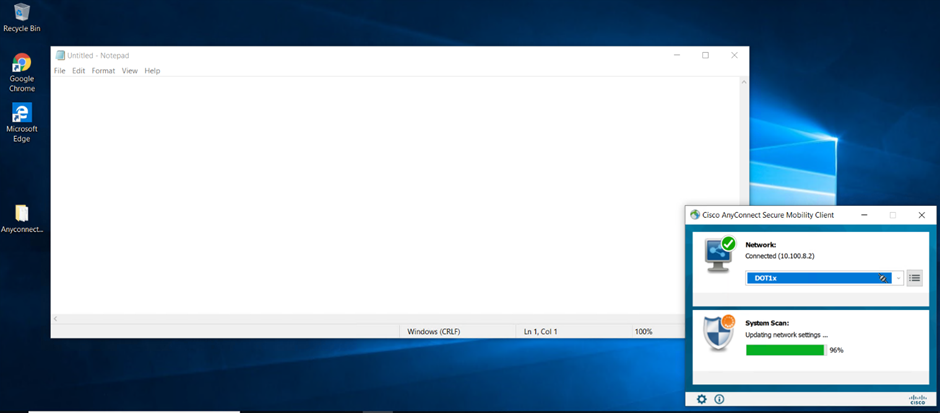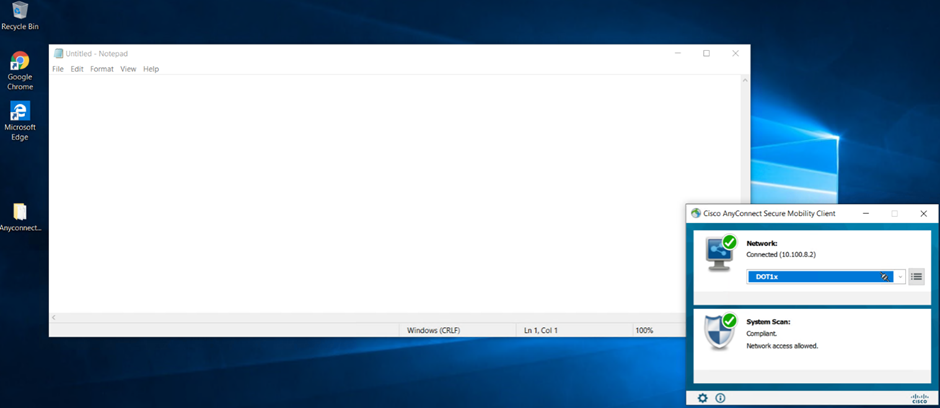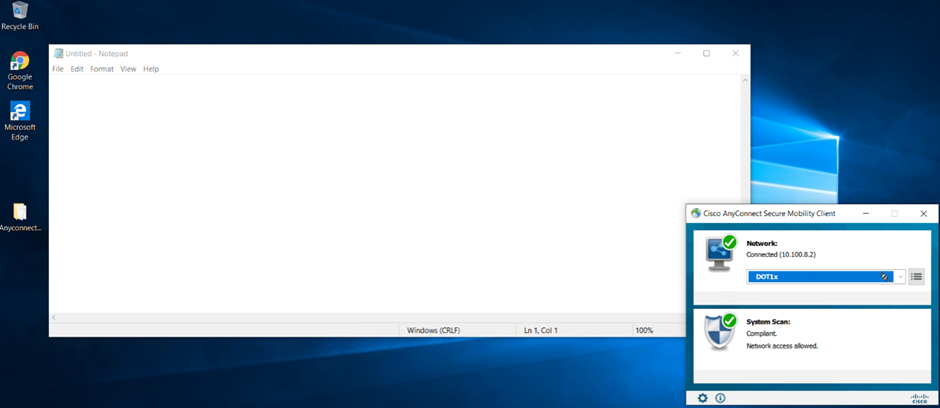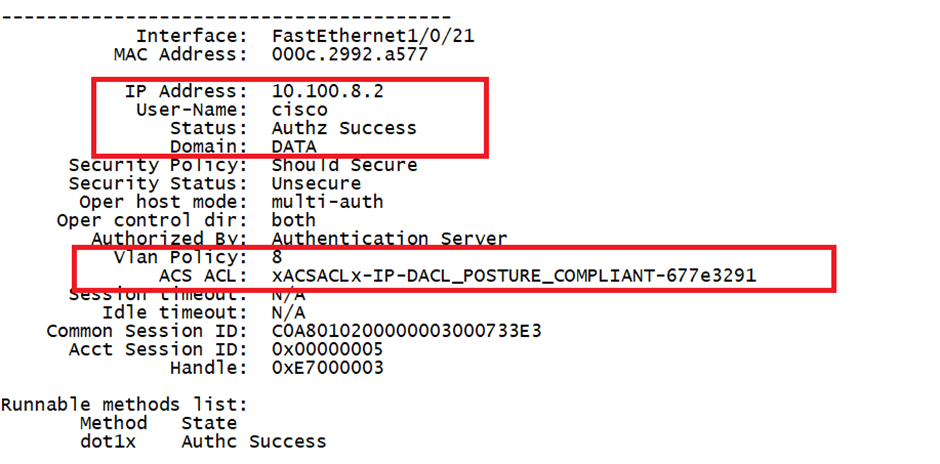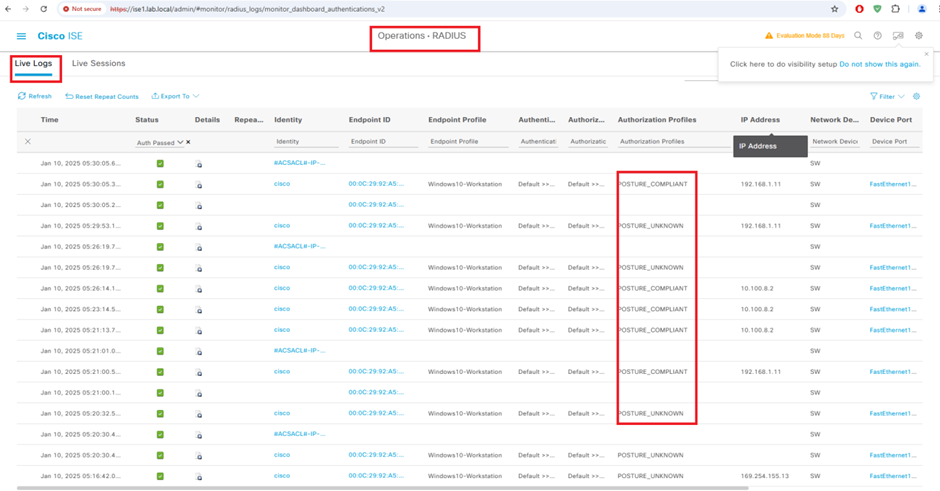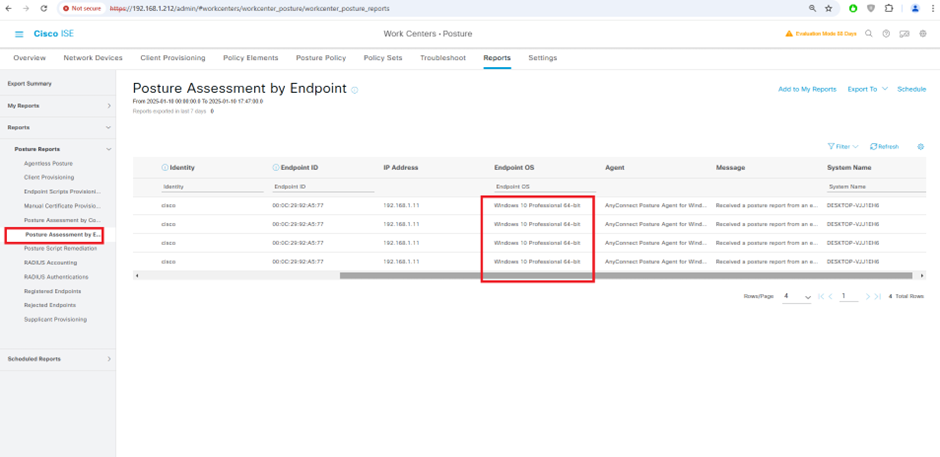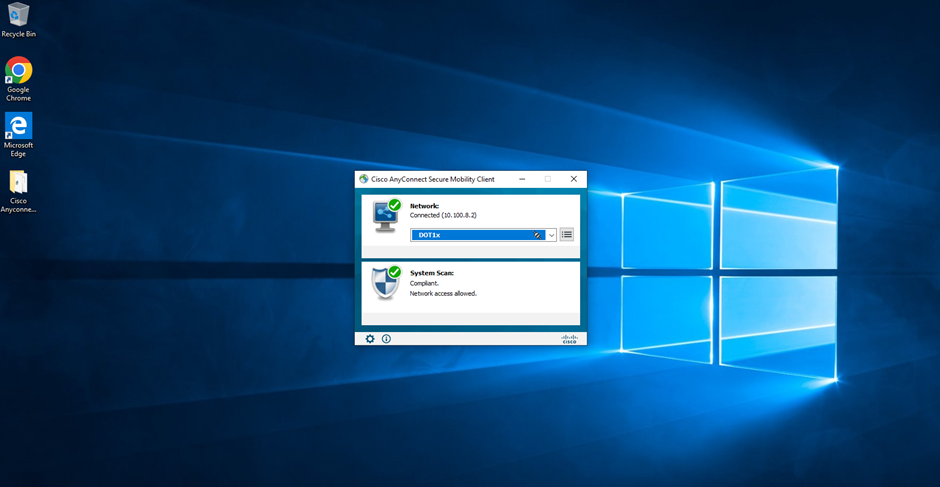

Cisco ISE Posture is a feature of Cisco Identity Services Engine (ISE) that allows organizations to assess and enforce the security posture of endpoints (e.g., laptops, mobile devices) before or after granting them network access.
What is Cisco ISE Posture?
Cisco ISE Posture is part of Cisco's NAC (Network Access Control) functionality. It evaluates whether an endpoint complies with the organization's security policies (e.g., antivirus status, OS patch level, firewall status). Based on the assessment, ISE can decide to:
Grant full access
Redirect the device to remediation resources
Quarantine it to a restricted VLAN
Deny access altogether
How It Works (Workflow)
User Connects to Network
The user connects via wired, wireless, or VPN.Posture Agent Involvement
The Cisco AnyConnect Secure Mobility Client with the Posture Module checks the endpoint’s compliance status.Endpoint Assessment
Checks might include:OS type and version
Antivirus/antimalware installed and running
Disk encryption enabled
Personal firewall enabled
Presence of specific registry keys, services, files, etc.
ISE Policy Evaluation
Cisco ISE receives the posture information and compares it against defined posture policies.Authorization Decision
Based on the evaluation:Compliant: Endpoint gets normal access.
Non-compliant: Endpoint is placed in a remediation VLAN or portal.
Unknown/Posture Pending: Limited access until posture check completes.
Remediation (if needed)
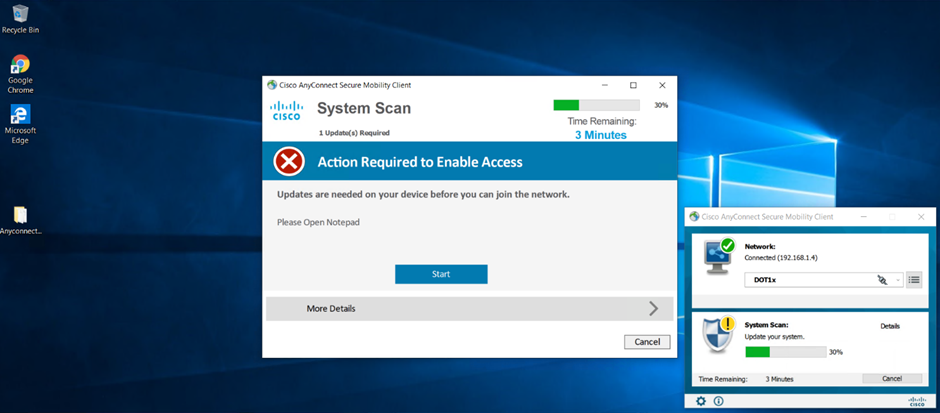
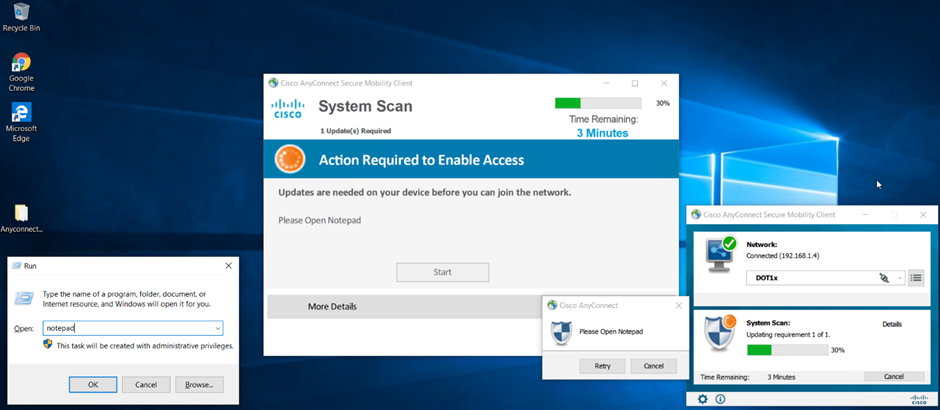
The user may be prompted to update software, enable AV, or apply patches.
Use Cases
Enforcing Security Hygiene
Ensure all devices connecting to the network have up-to-date antivirus, patches, etc.
BYOD Control
Assess personal devices to ensure they meet minimum security requirements.
VPN Access Control
Enforce endpoint compliance before allowing VPN access to internal resources.
Granular Policy Enforcement
Grant different access levels based on posture state, user role, and device type.
Benefits -
Benefit | Description |
Improved Security | Ensures only secure and compliant devices get access. |
Automated Remediation | Users are guided to fix compliance issues. |
Visibility | Detailed reports on endpoint health and compliance posture. |
Dynamic Access Control | Access changes in real-time based on compliance. |
Key Components
Cisco ISE – Central policy engine and decision-maker.
Cisco AnyConnect Client – Includes the posture module to collect device info.
Network Access Devices (NADs) – Switches, wireless controllers, etc., that enforce the policy (e.g., redirect traffic or assign VLANs).
Remediation Servers – Hosts software or scripts to fix non-compliant endpoints.
Configure Posture in Cisco ISE 3.1.0
Requirements
Cisco recommends that you have knowledge of these topics:
Identity Services Engine (ISE)
Domain Name Server
Posture
Windows 10 or later
Components Used
The information in this document is based on these software and hardware versions:
Identity Services Engine (ISE) 3.1.0 or later version.
Package Cisco AnyConnectDesktopWindows 4.10.2086.0
Package Cisco AnyConnectComplianceModuleWindows 4.3.4390.8192
Microsoft Windows 10 Pro 10.0.17763 Build 17763
The information in this document was created from the devices in a specific lab environment. All of the devices used in this document started with a cleared (default) configuration. If your network is live, ensure that you understand the potential impact of any command.
Background Information
ISE Posture performs a client-side evaluation. The client receives the posture requirement policy from ISE, performs the posture data collection, compares the results against the policy, and sends the assessment results back to the ISE.
ISE then determines whether device is complaint or non-compliant based on Posture Report.
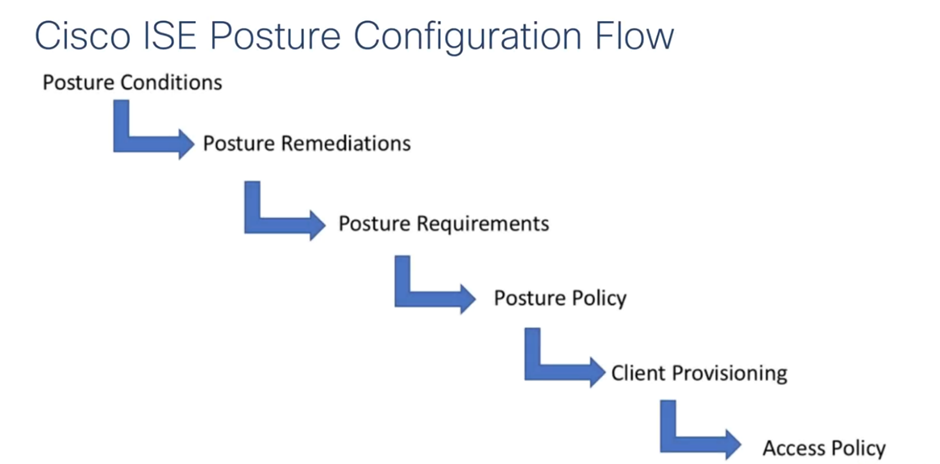
Getting Started
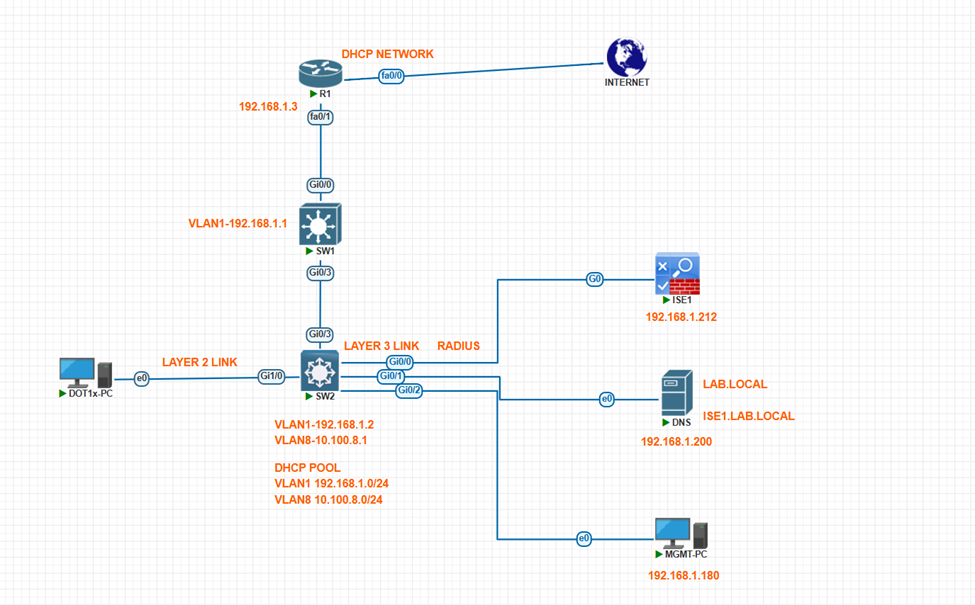
Cisco Switch Configuration
hostname SW2
!
!
username cisco privilege 15 password 0 cisco
!
!
aaa new-model
!
!
aaa authentication login NOAU line none
aaa authentication dot1x default group radius
aaa authorization network default group radius
!
!
aaa server radius dynamic-author
client 192.168.1.212 server-key cisco
!
aaa session-id common
switch 1 provision ws-c3750-48p
system mtu routing 1500
ip routing
ip name-server 192.168.1.200
ip dhcp excluded-address 10.100.8.1
ip dhcp excluded-address 192.168.1.1
ip dhcp excluded-address 192.168.1.2
ip dhcp excluded-address 192.168.1.3
ip dhcp excluded-address 192.168.1.200
ip dhcp excluded-address 192.168.1.212
ip dhcp excluded-address 192.168.1.180
!
ip dhcp pool VLAN8
network 10.100.8.0 255.255.255.0
default-router 10.100.8.1
dns-server 8.8.8.8
!
ip dhcp pool VLAN1
network 192.168.1.0 255.255.255.0
default-router 192.168.1.2
domain-name lab.local
dns-server 192.168.1.200
!
!
ip device tracking
!
dot1x system-auth-control
!
!
!
spanning-tree mode pvst
spanning-tree portfast default
spanning-tree extend system-id
!
vlan internal allocation policy ascending
!
!
interface G0/0
description ISE
switchport mode access
spanning-tree portfast
!
interface G0/1
description DNS_SERVER
switchport mode access
spanning-tree portfast
!
!
interface G0/2
description MGMT_PC
switchport mode access
spanning-tree portfast
!
!
Interface Gi0/3
description SW1-SW2
switchport trunk encapsulation dot1q
switchport mode trunk
!
!
interface G1/0
switchport mode access
authentication host-mode multi-auth
authentication port-control auto
dot1x pae authenticator
spanning-tree portfast
!
!
interface Vlan1
ip address 192.168.1.2 255.255.255.0
!
interface Vlan8
ip address 10.100.8.1 255.255.255.0
!
!
!
ip http server
ip http secure-server
!
!
ip access-list extended redirect-acl
deny ip any host 192.168.1.212
permit udp any eq bootpc any eq bootpc
permit udp any any eq domain
permit tcp any any eq www
permit tcp any any eq 443
permit tcp any any eq 8443
!
ip radius source-interface Vlan1
!
radius-server attribute 6 on-for-login-auth
radius-server attribute 8 include-in-access-req
radius-server attribute 25 access-request include
radius-server host 192.168.1.212 key cisco
radius-server vsa send accounting
radius-server vsa send authentication
!
!
line con 0
login authentication NOAU
line vty 0 4
password cisco
login authentication NOAU
line vty 5 15
!
End
ISE GUI FROM MGMT-PC
IP 192.168.1.180 /24
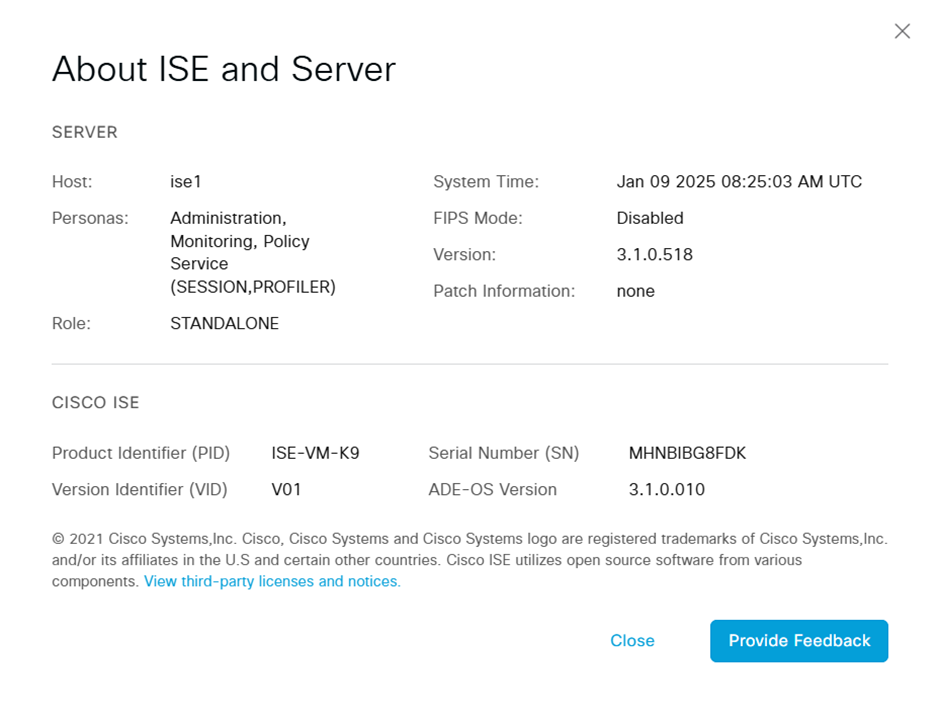

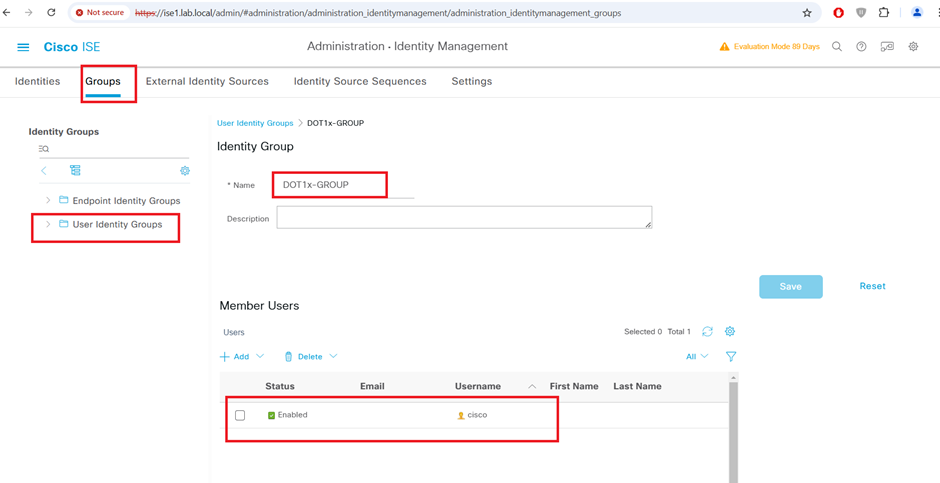
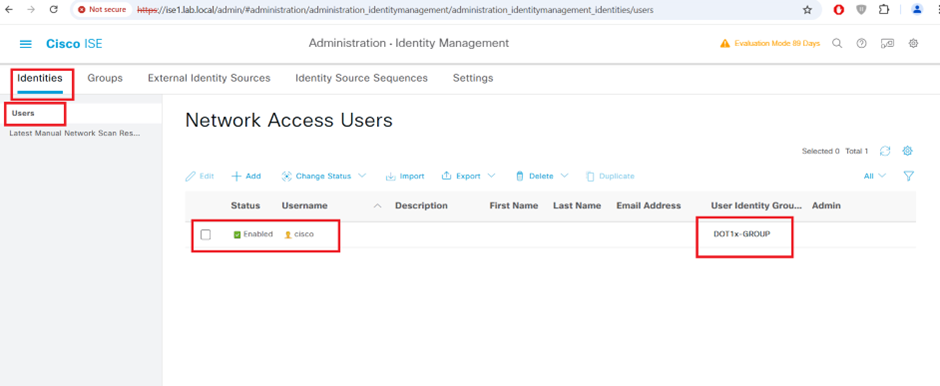
STEP1:-
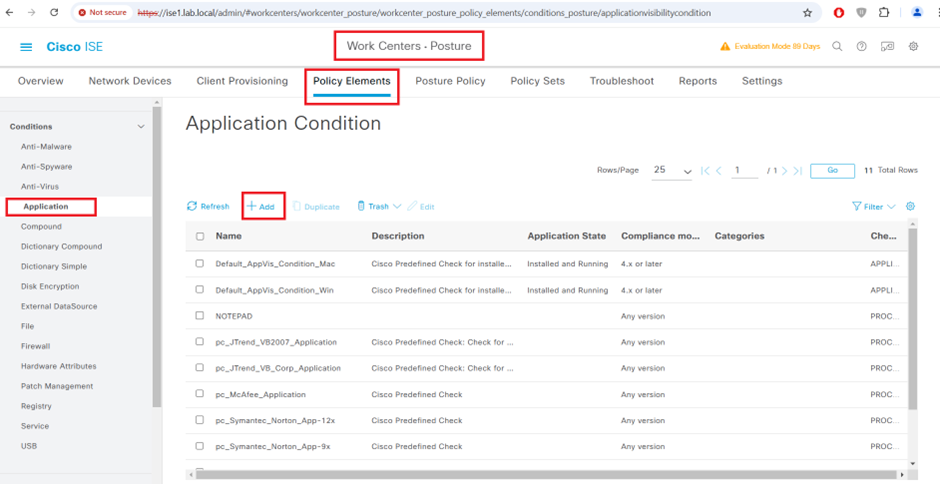
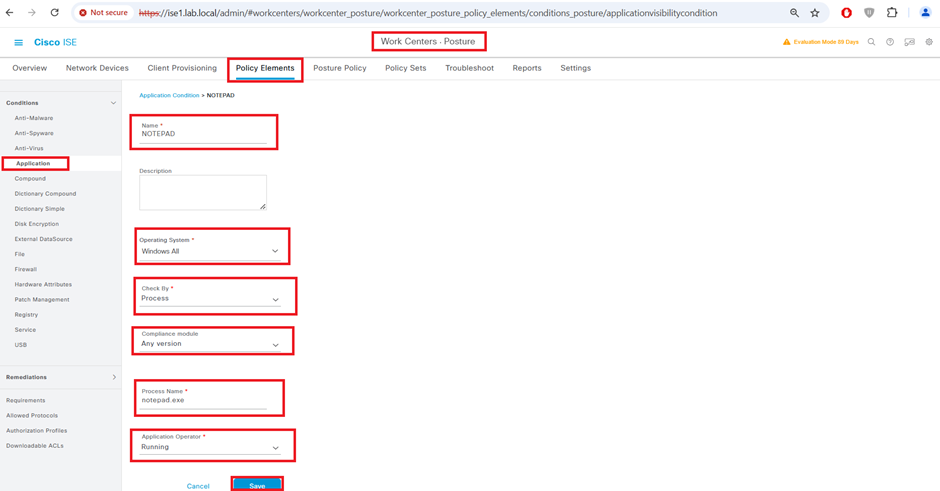
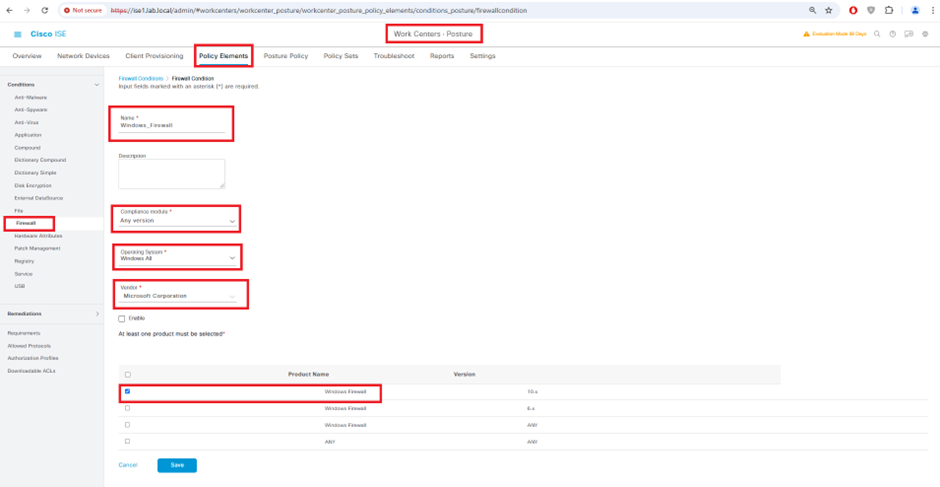
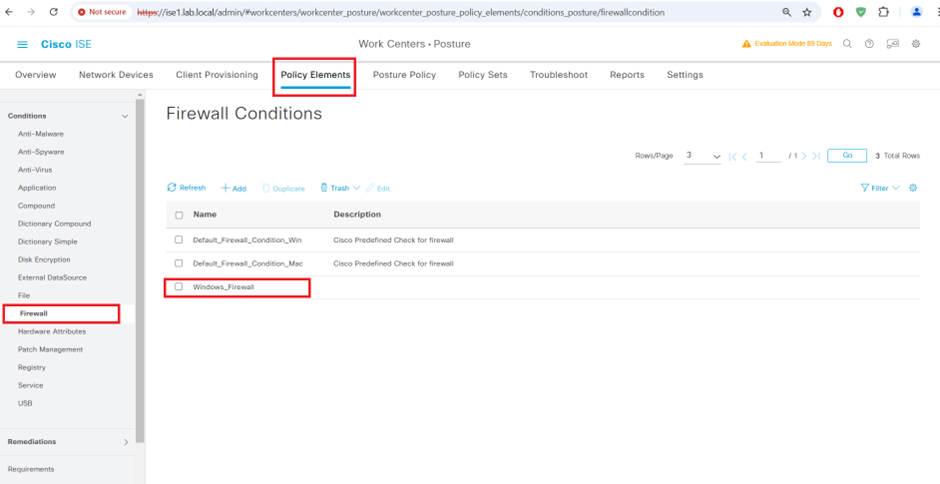
Configure Posture Conditions
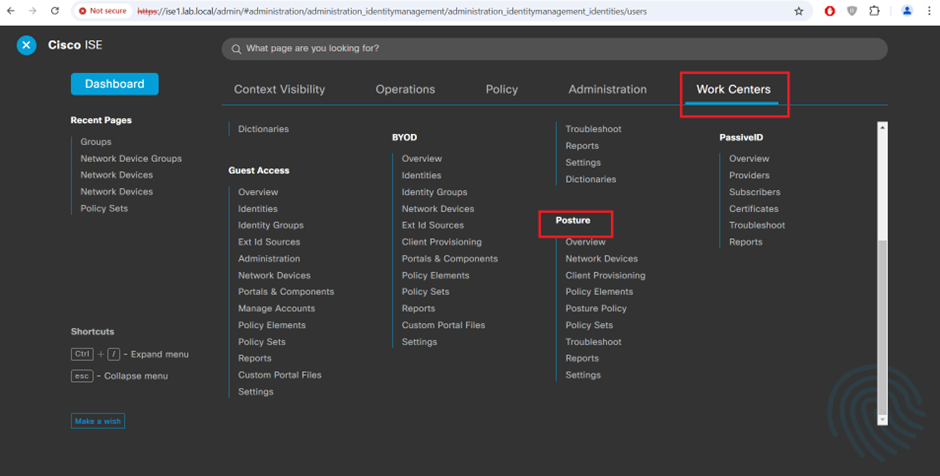
Configure Application condition
Firewall condition
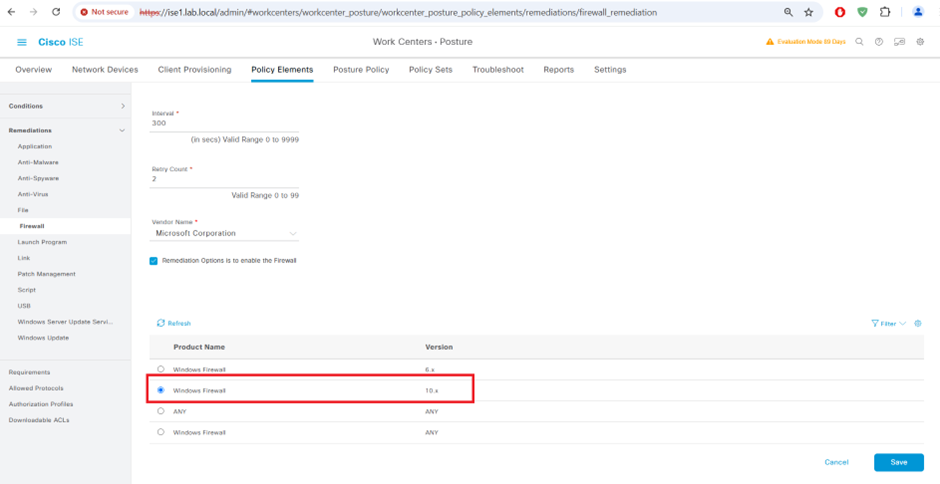
Cisco ISE Posture Remediation’s

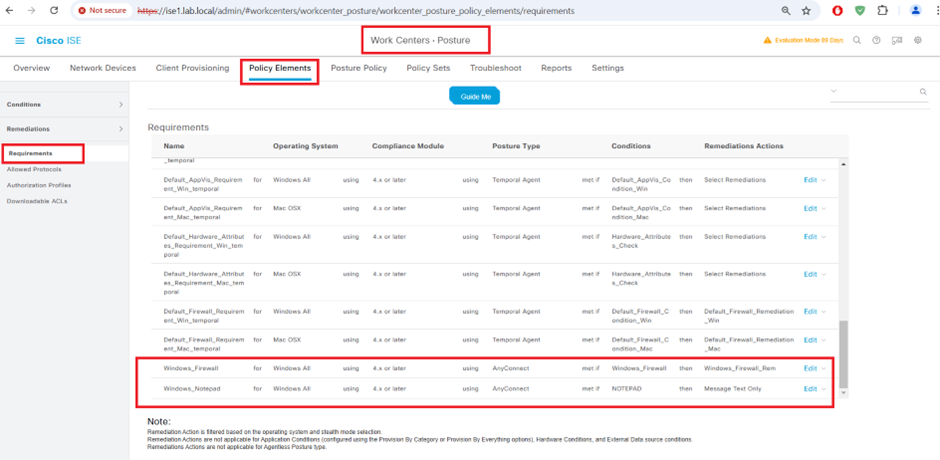
STEP2:-
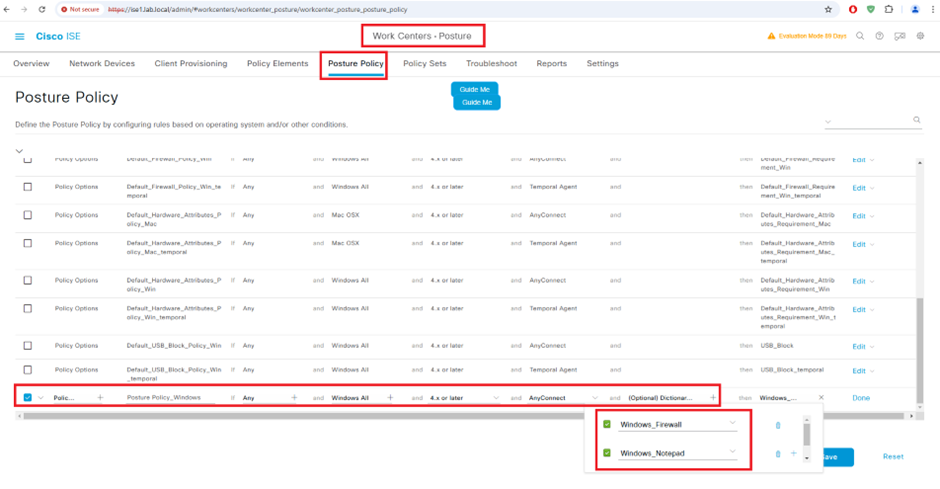
Cisco ISE Posture Requirements
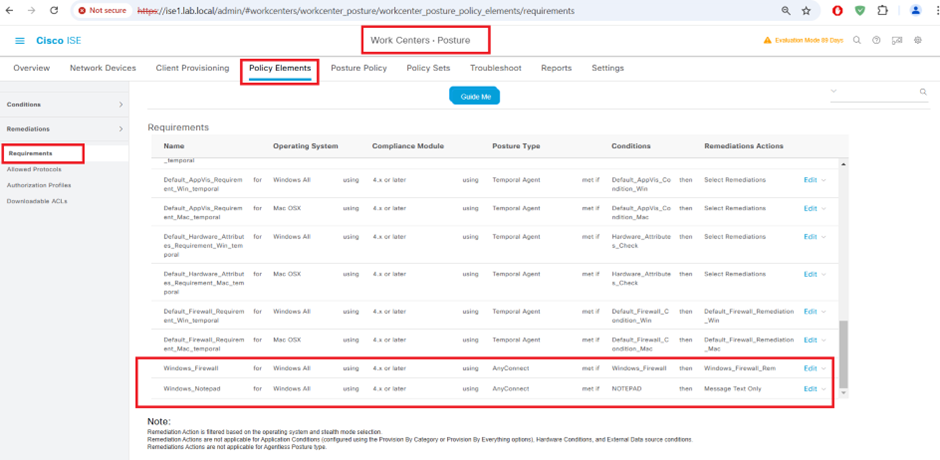
STEP3:-
Cisco ISE Posture Policy
STEP4:-
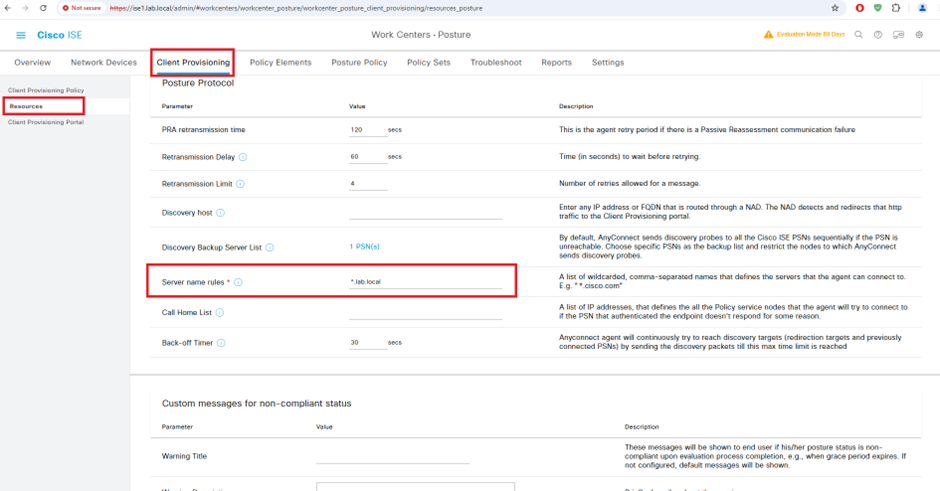
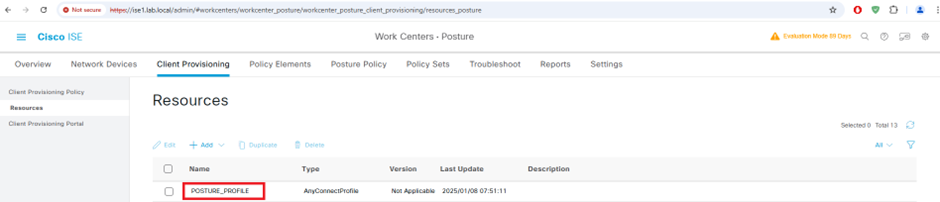
Client Provisioning Configuration Steps
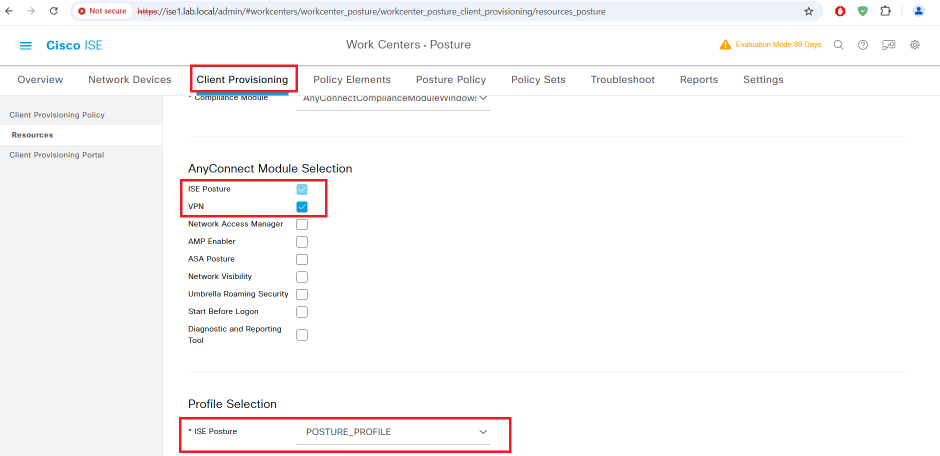
AnyConnect Posture Profile
AnyConnect Compliance Module Download from website or upload from local disk
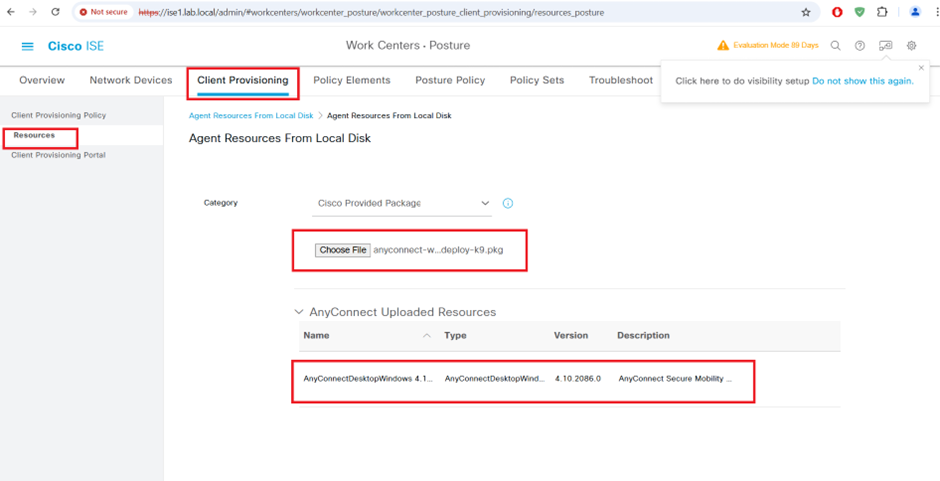
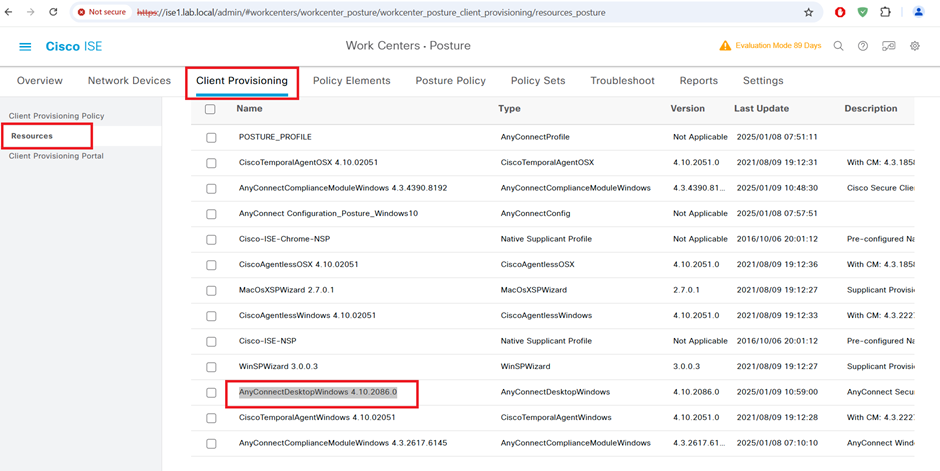
AnyConnect Agent Module Upload 4.10
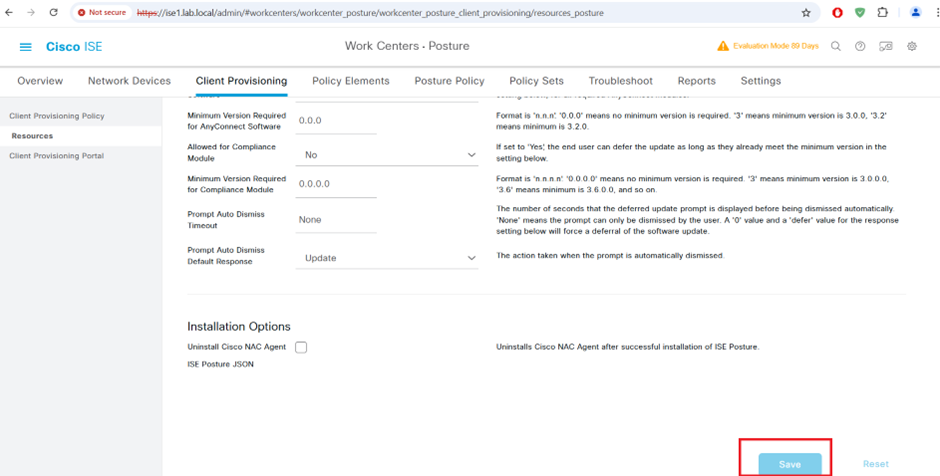
AnyConnect Profile Configuration
Client Provisioning Policy
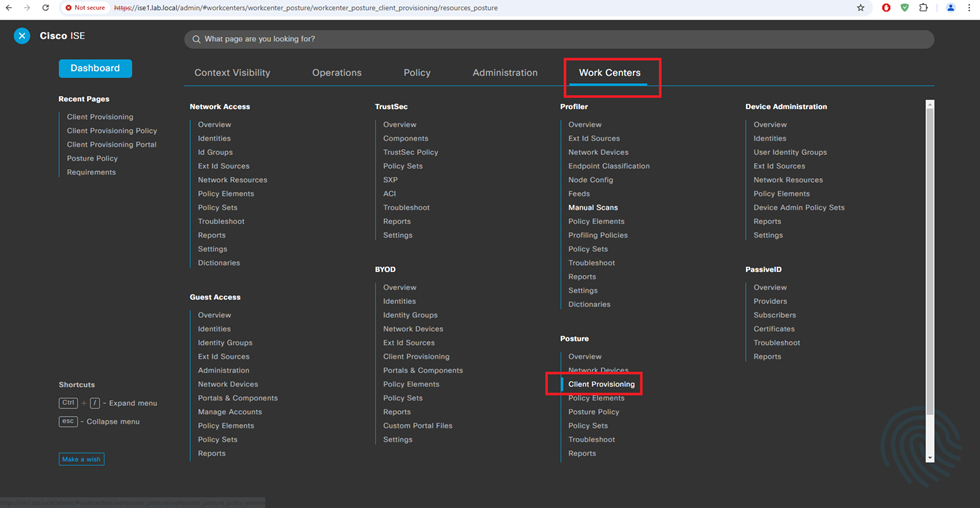

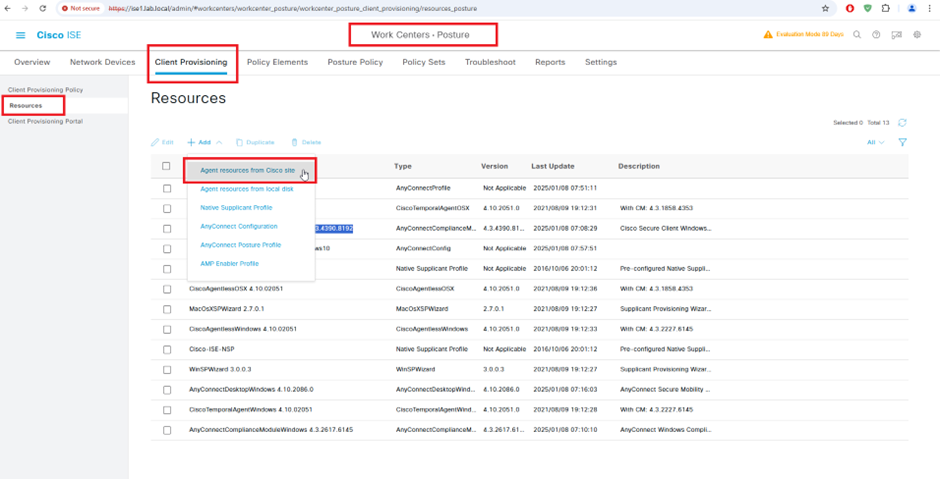
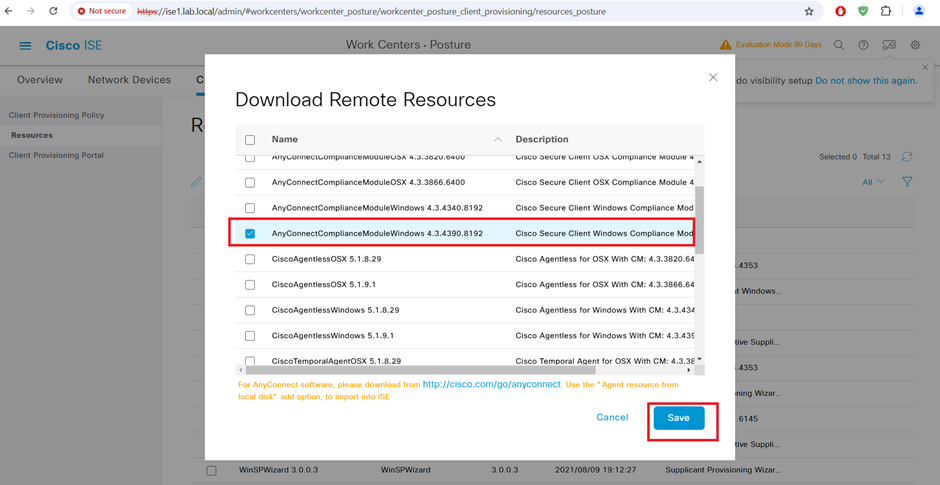
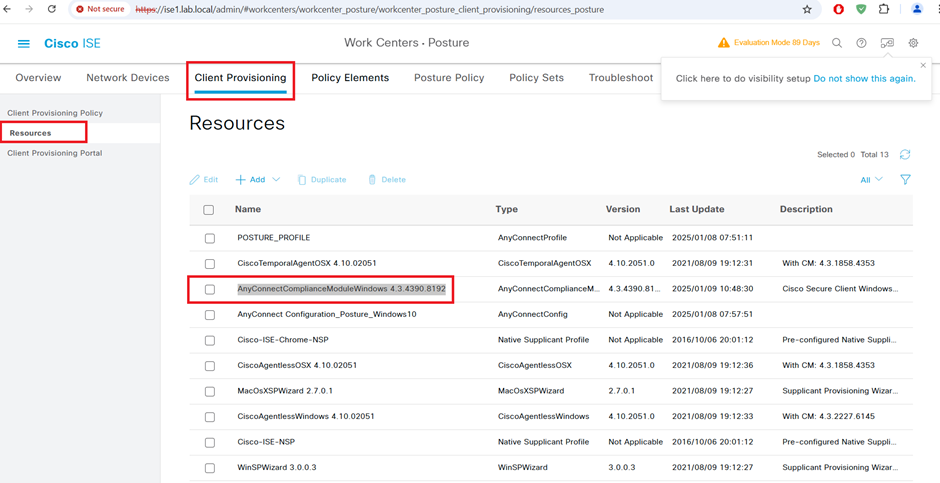
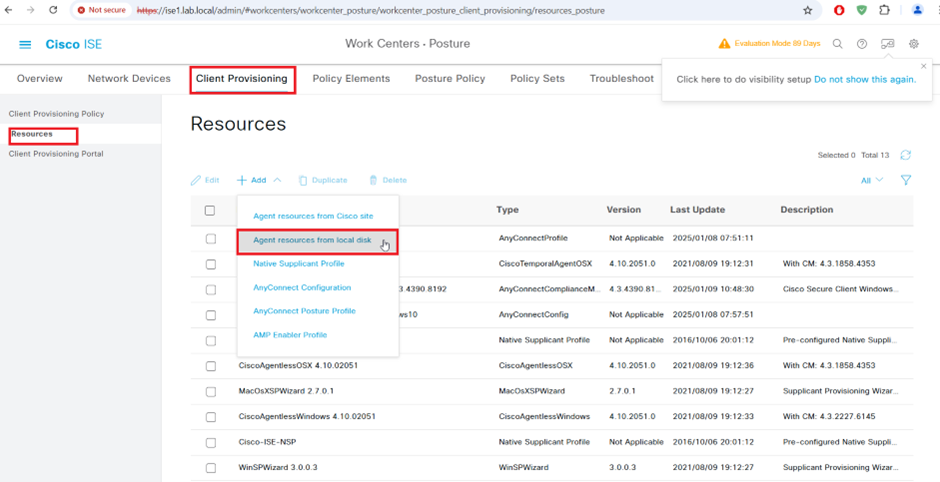
AnyConnect Compliance Module AnyConnectComplianceModuleWindows 4.3.4390.8192 Download from cisco site or upload from local disk.



STEP5:-
Client Provisioning Policy

STEP6:-
Configure Downloadable ACLs for Posture_Unknown
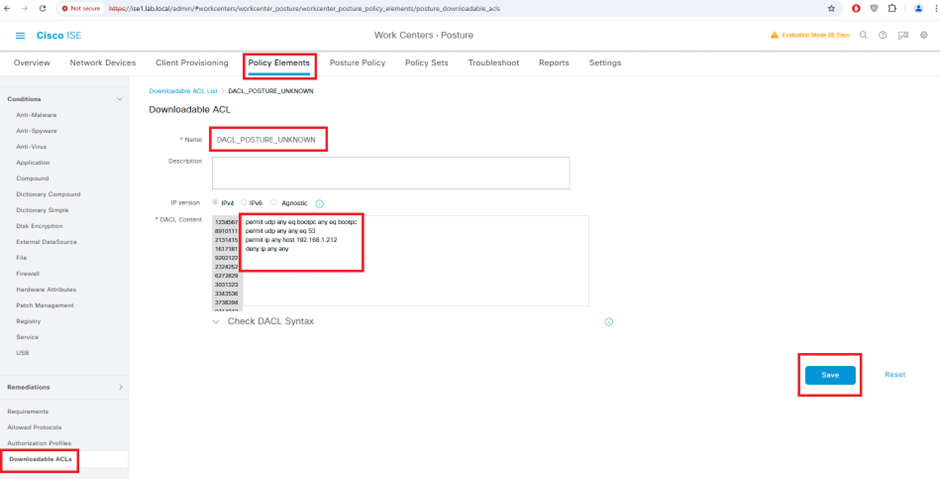
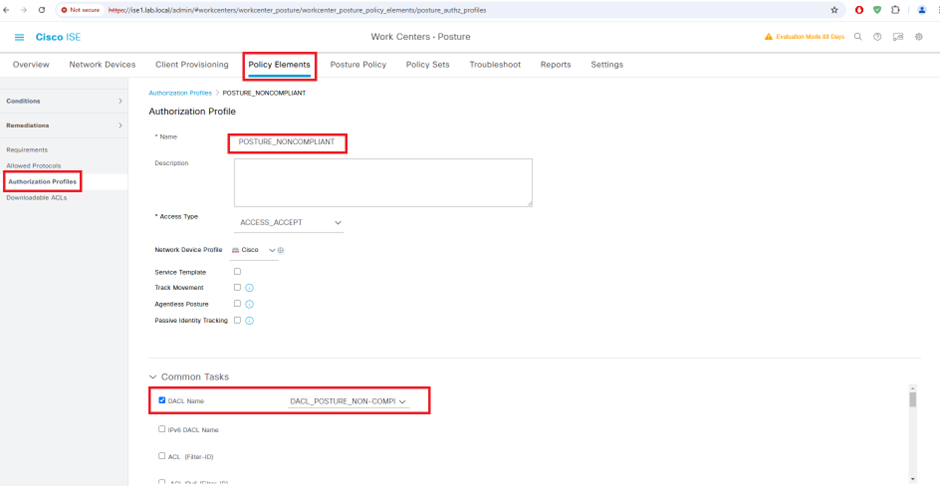
Configure Downloadable ACLs for Posture_Non-Compliant
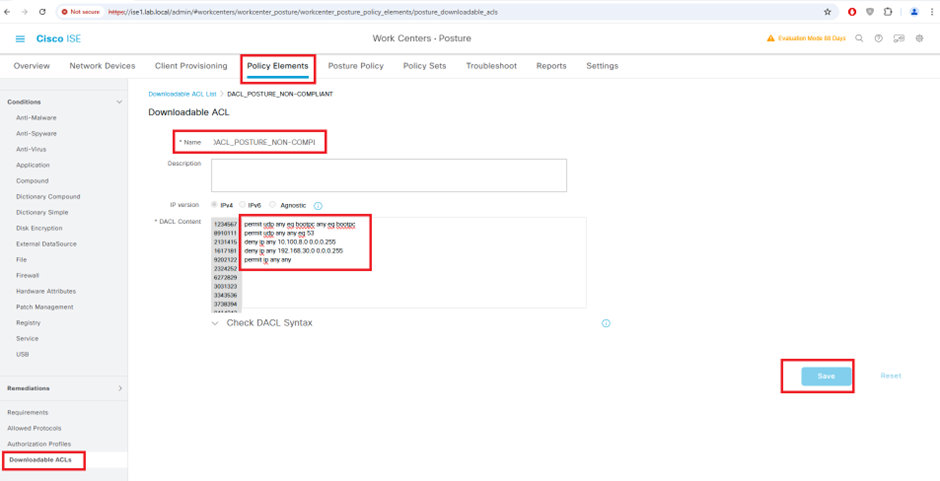
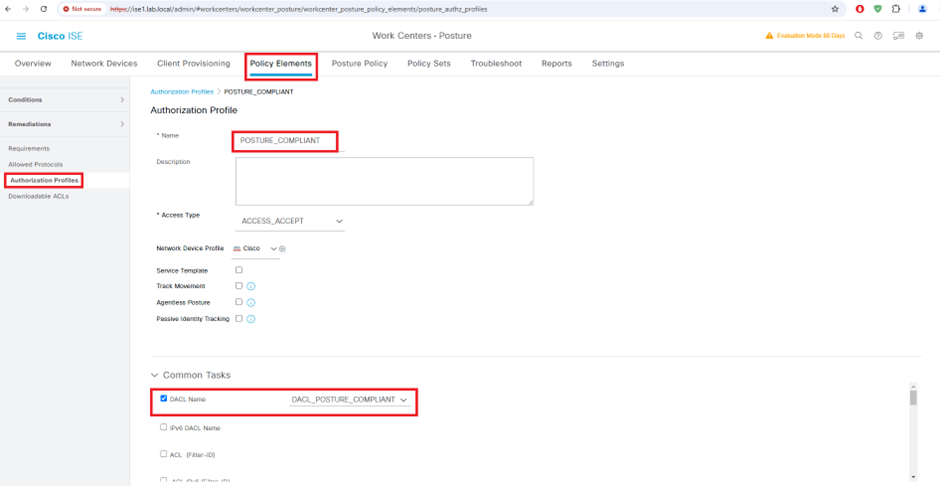
Configure Downloadable ACLs for Posture_Compliant
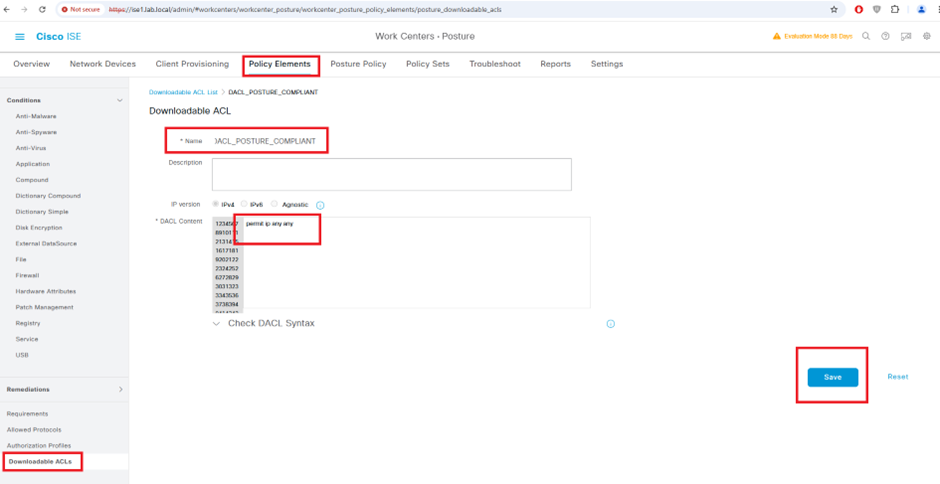
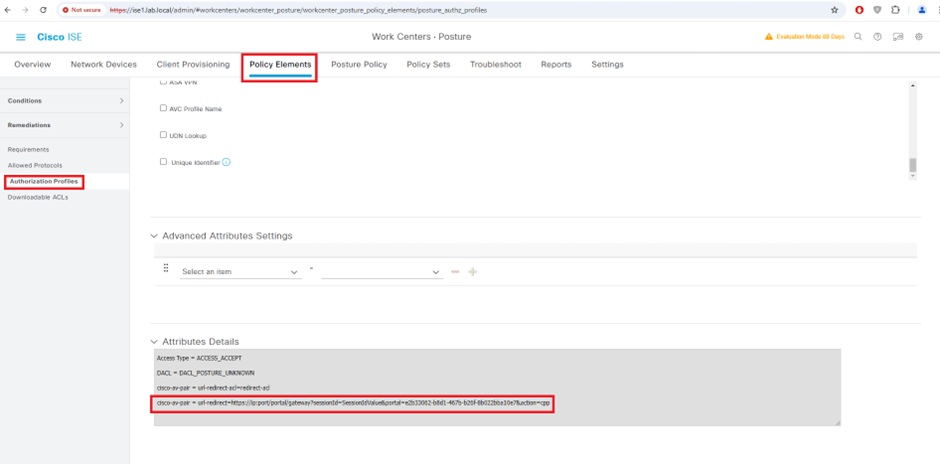
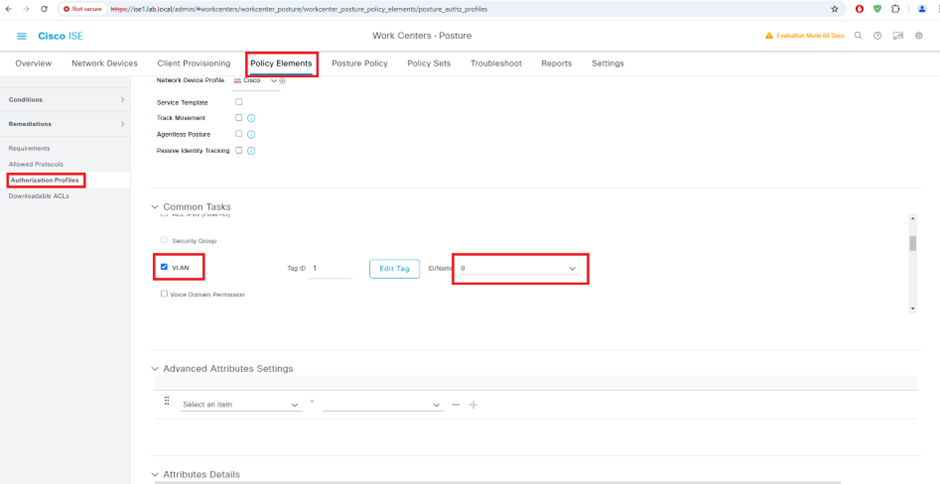
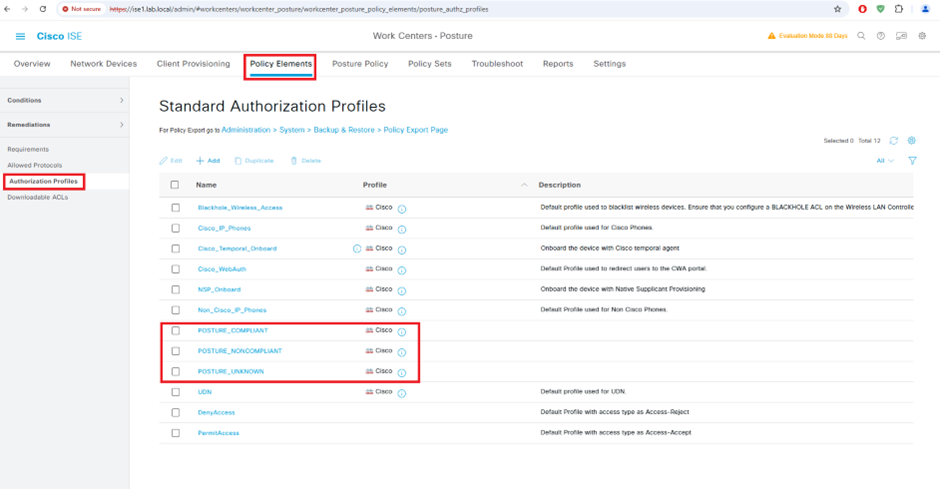
Configure Authorization Profile
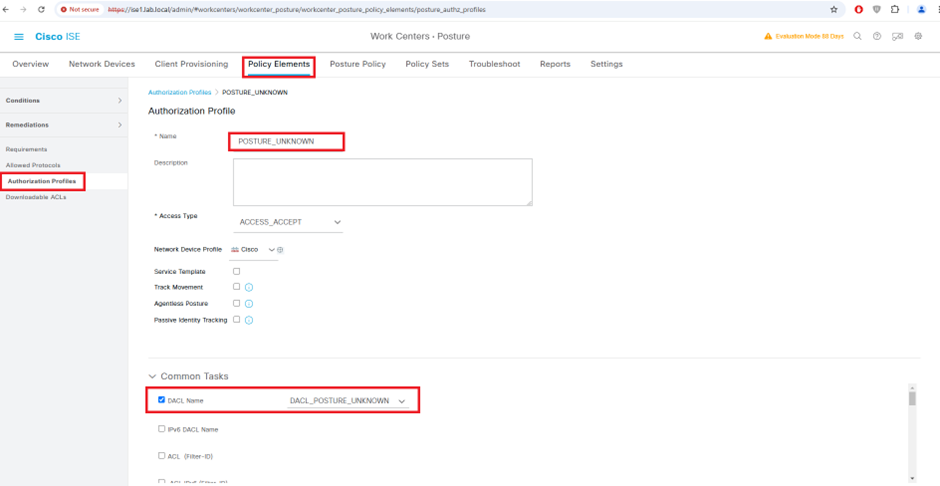
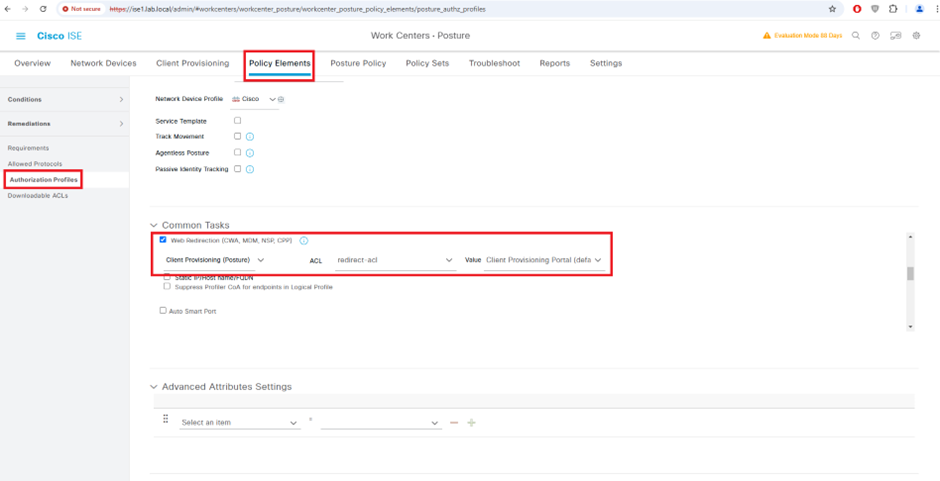
redirect-acl
deny ip any host 192.168.1.212
permit tcp any any www
permit tcp any any eq 443
permit tcp any any eq 8443
deny udp any any eq domain
deny udp any eq bootpc any eq bootpc

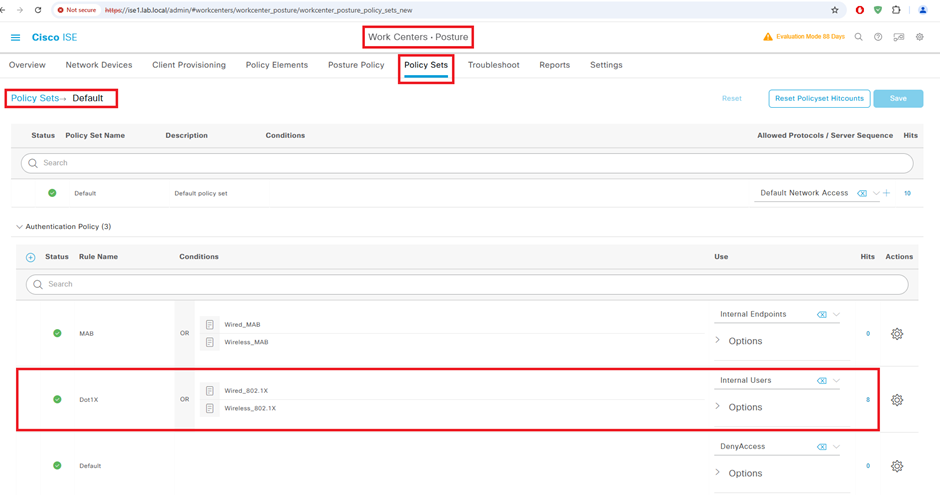
Configure Authentication Policy Set
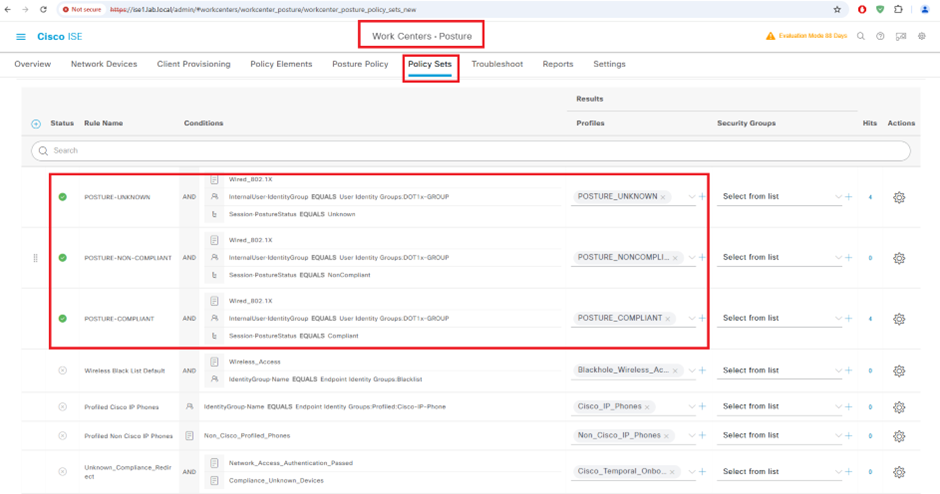
Configure Authorization Policy Set
Unknown: Redirect to client provisioning portal and restrict access
Compliant: Grant controlled access
Noncompliant: Restrict access
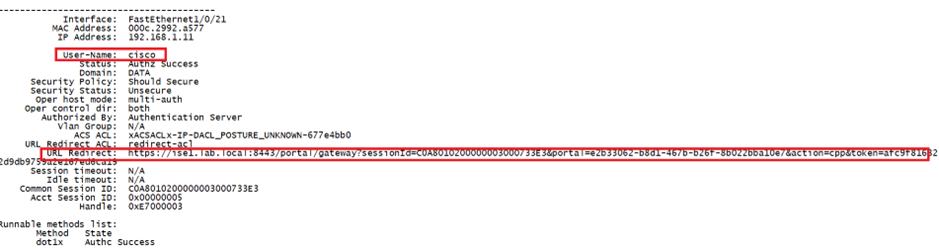
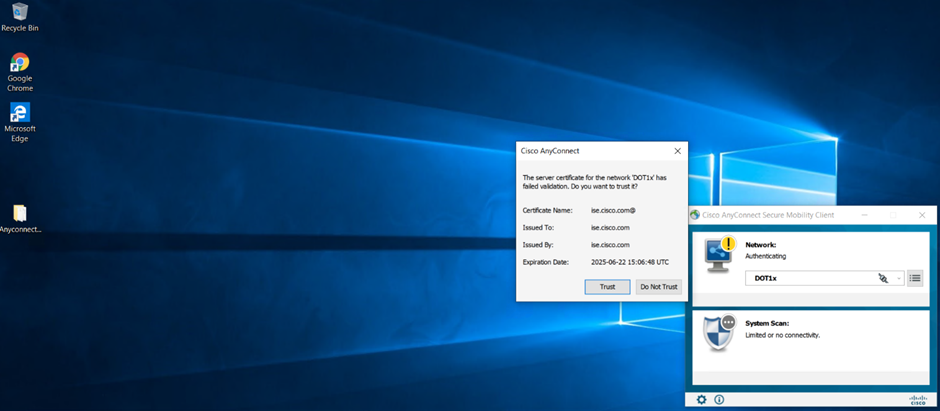
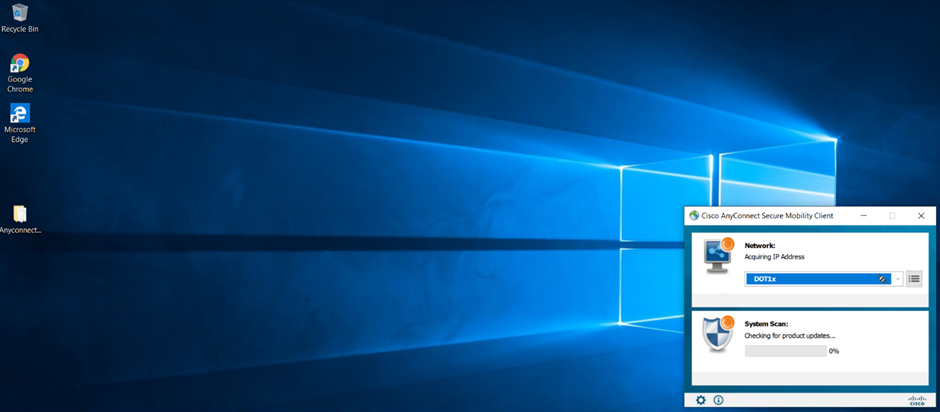
Go to Test PC (DOT1x-PC)
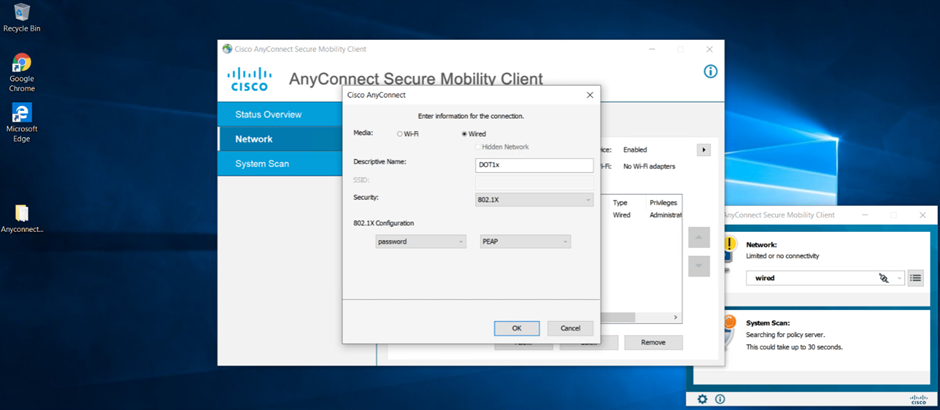
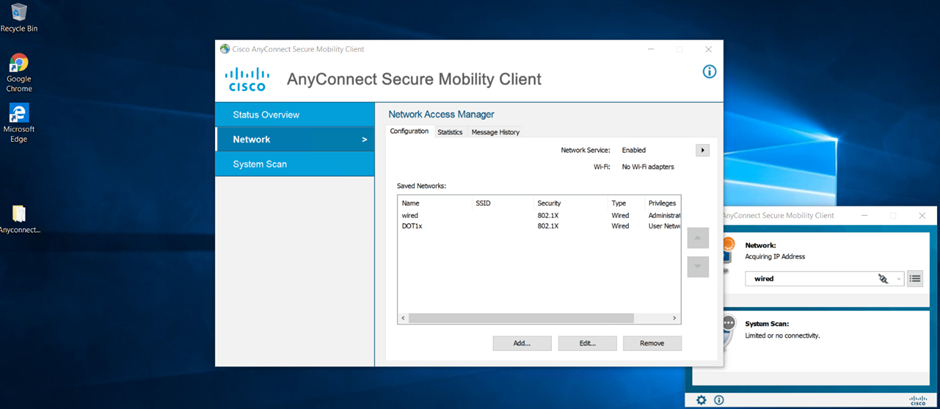
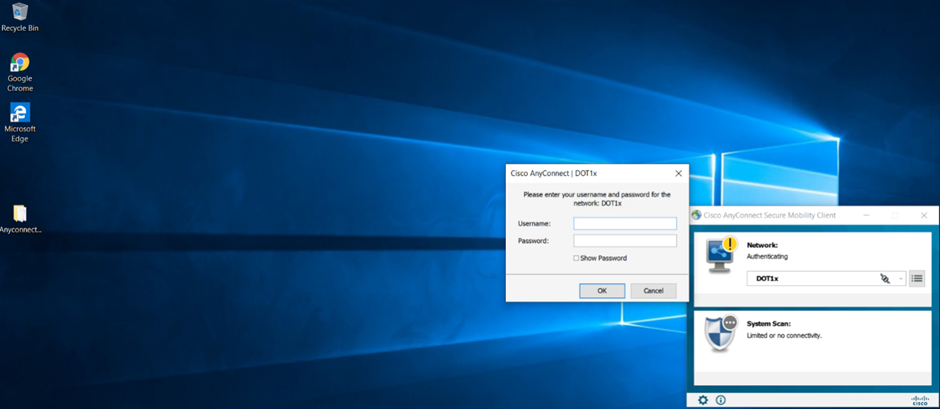
Initiate Dot1x
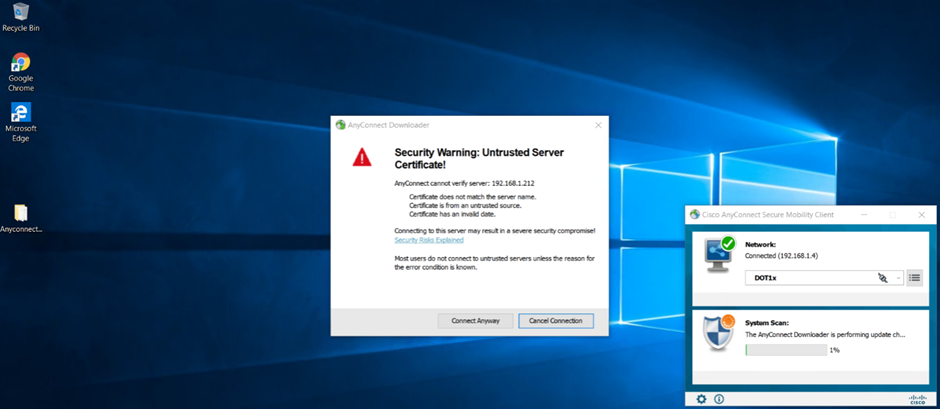
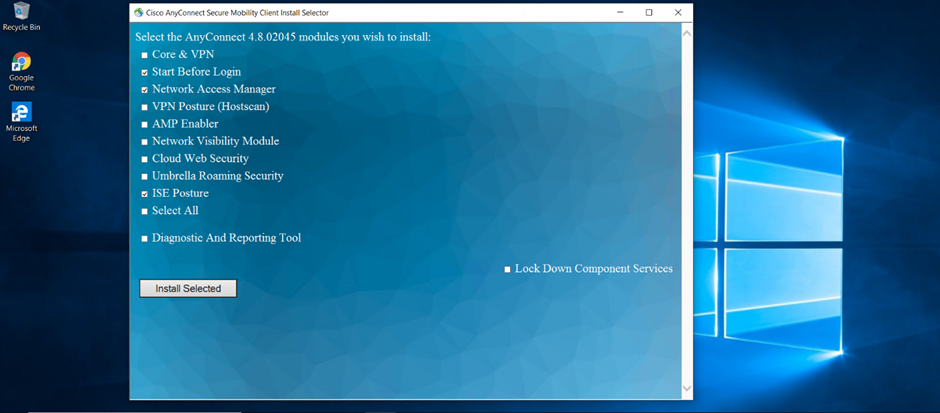
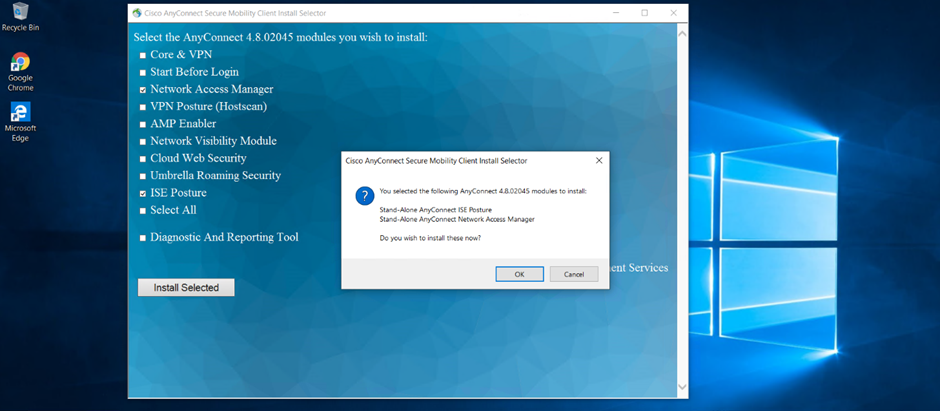
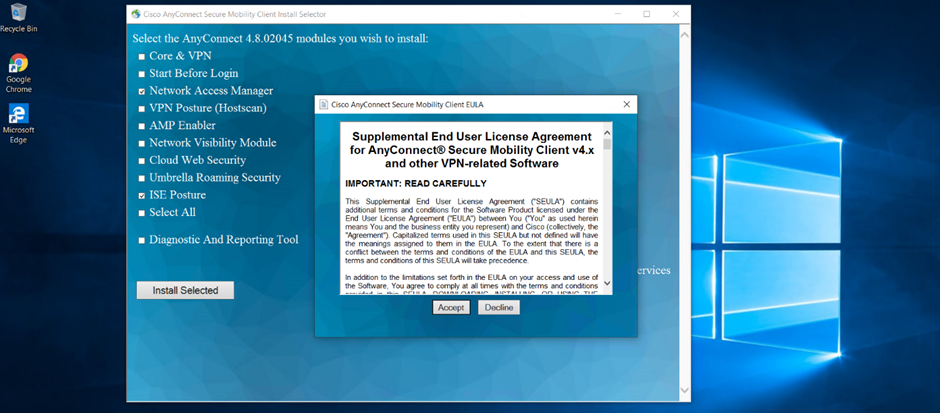
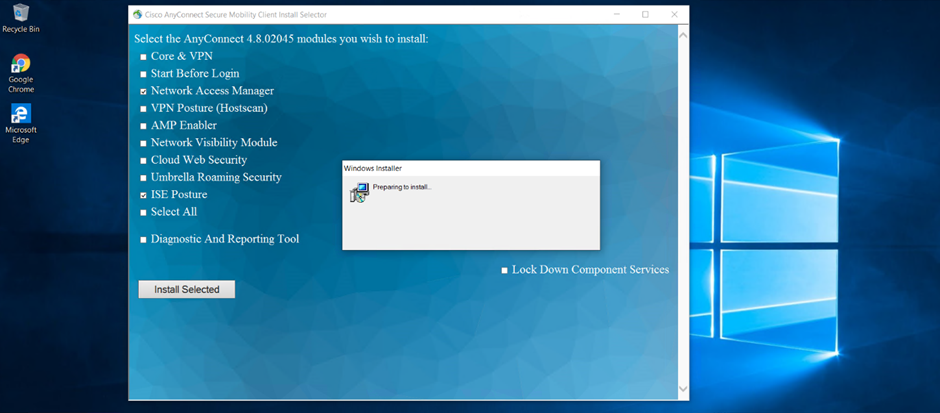
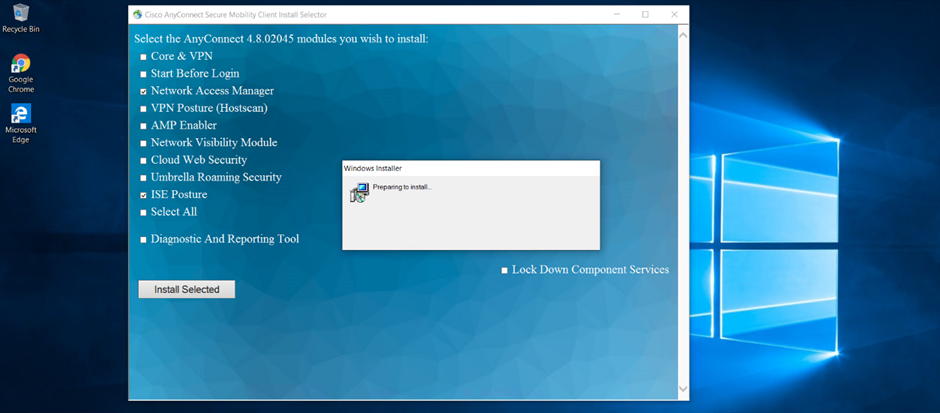
Installing Cisco AnyConnect on PC
SWITCH